

Time Tracking in 5pm
 Check the Video Tutorial: Time Tracking 3 mins
Report Time
To report time spent on a task, you have to add a Progress Note to it (a special type of message/comment) — read more about Progress Notes:
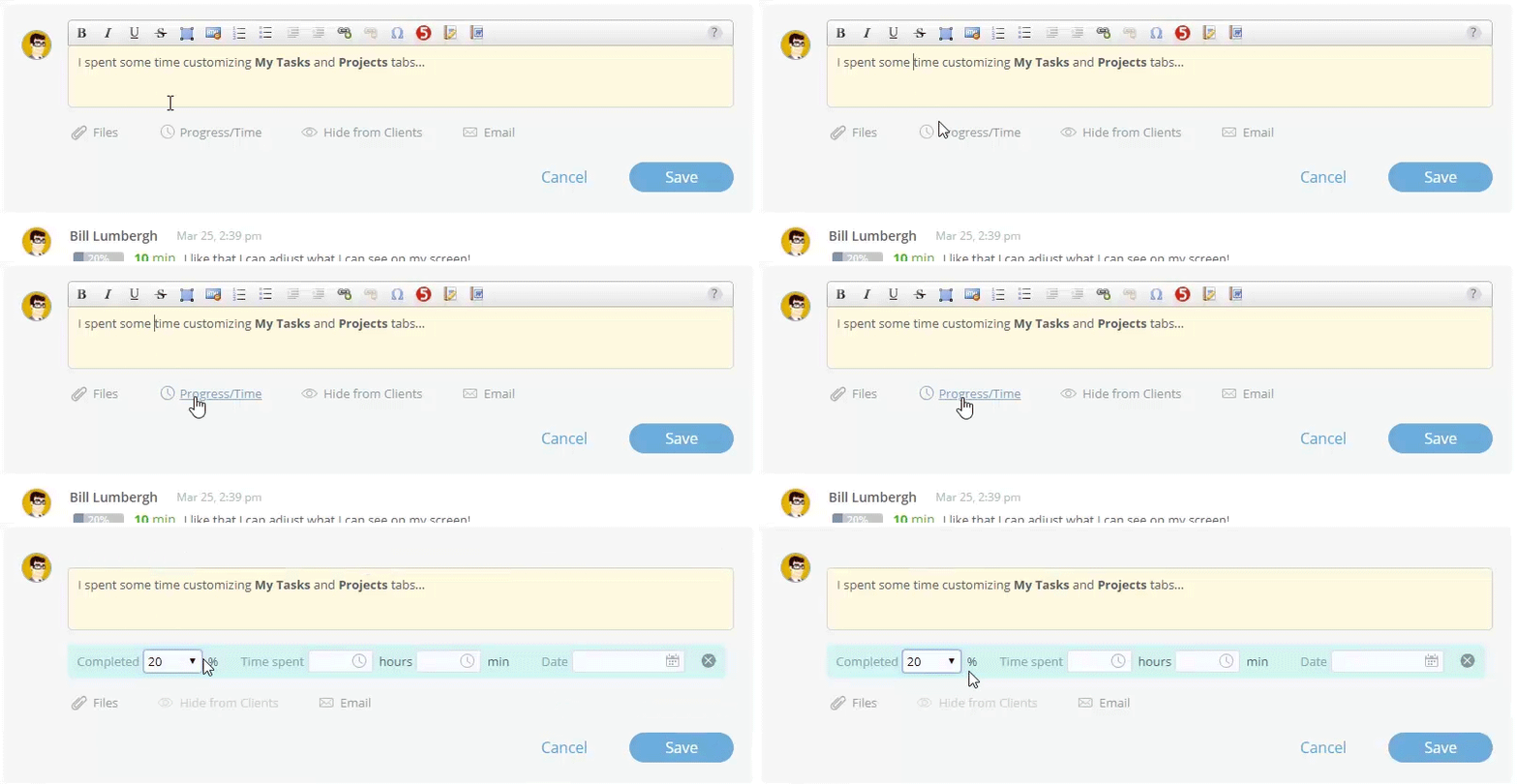
You can also use the Time Tracker desktop widget to report time.
Estimated Time
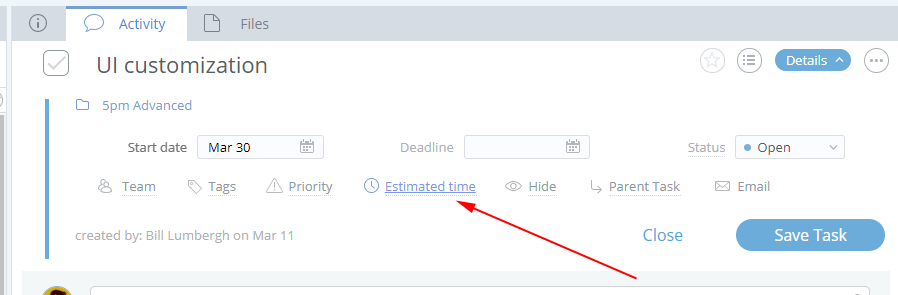
You can also define the Estimated Time for each task — the estimated or defined number of hours to complete it:
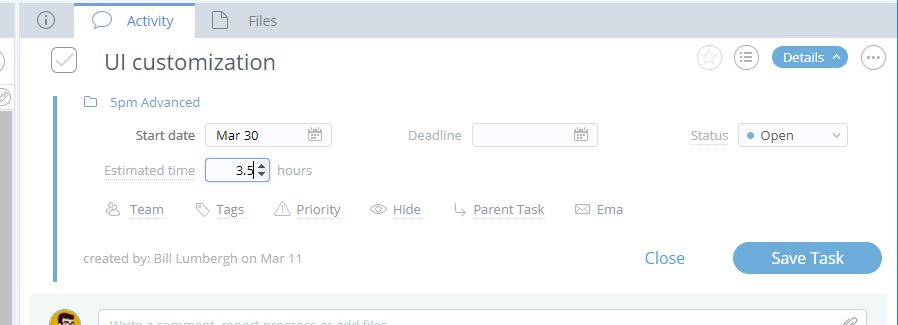
The time is defined in hours (ex: 3.5 hours is 3 hours and 30 mins):
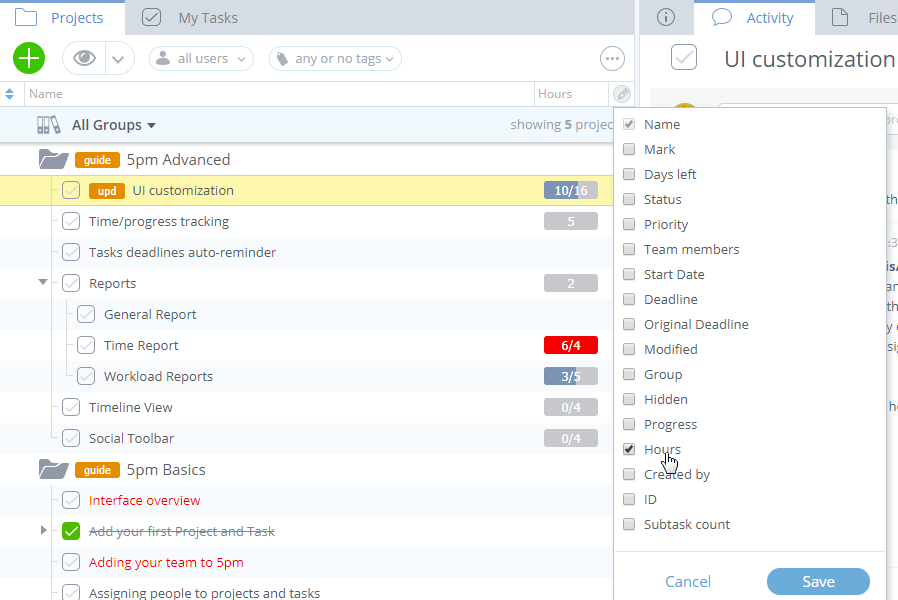
You can display the Estimated Time and even measure it against the actual total time spent for a task (reported through Progress Notes) in the left panel, by adding the "Hours" column to it:
newThere is also the "Hours Rollup" column — it adds up the estimated and spent hours from sub-tasks to the parent task:
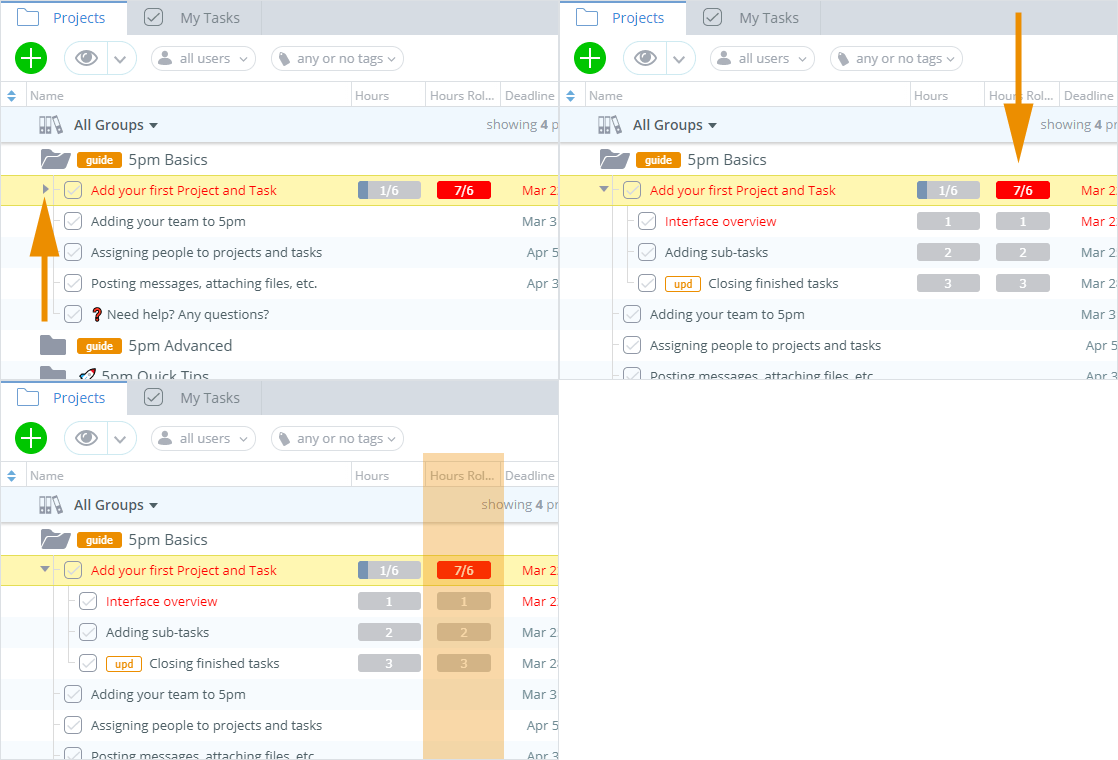
Only the hours from visible tasks are added up (hours of tasks hidden by filters or due to security restictions are non added up).
This column is also available in General Report.
Time Report
You can aggregate the time spent on tasks with the Time Report:
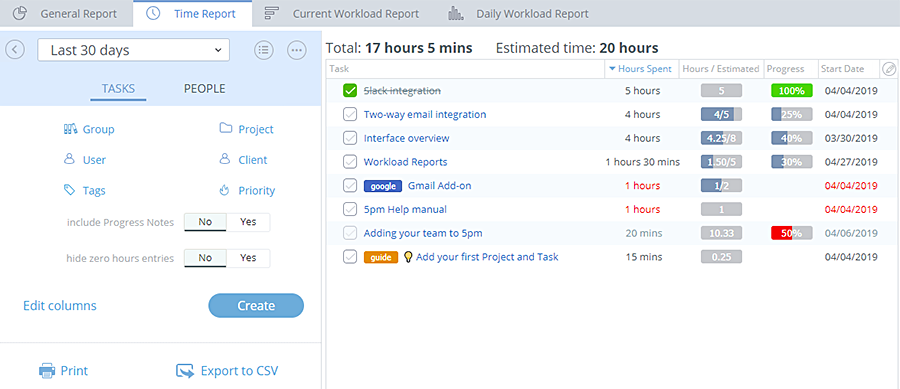
Find out more about it on the Time Report page.
Time Tracker widget
You can also use our Time Tracker desktop widget to track and submit the time to 5pm:
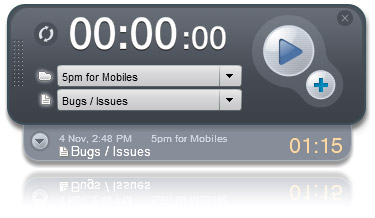
Find more about it on the Time Tracker page.